Spentrix
A clearer relationshipwith your expenses.
Capture transactions from multiple channels—photo, email, SMS, or folder. Extract information automatically from receipts. Confirm beside the original. Get reports and insights from your data and export when needed.
Same easy process for either personal or company books.
Capture, confirm, report, export—whichever book you're keeping.
Personal
For personal & freelance
- Your own spending
- Deductible categories when you need them
- Client work when you have it
Business
For companies
- Invite your people
- Roles and approvals
- Projects, clients, and accountant export
Capture
Uploads, folders, email, SMS, and camera—every channel feeds one expense book.
Structure
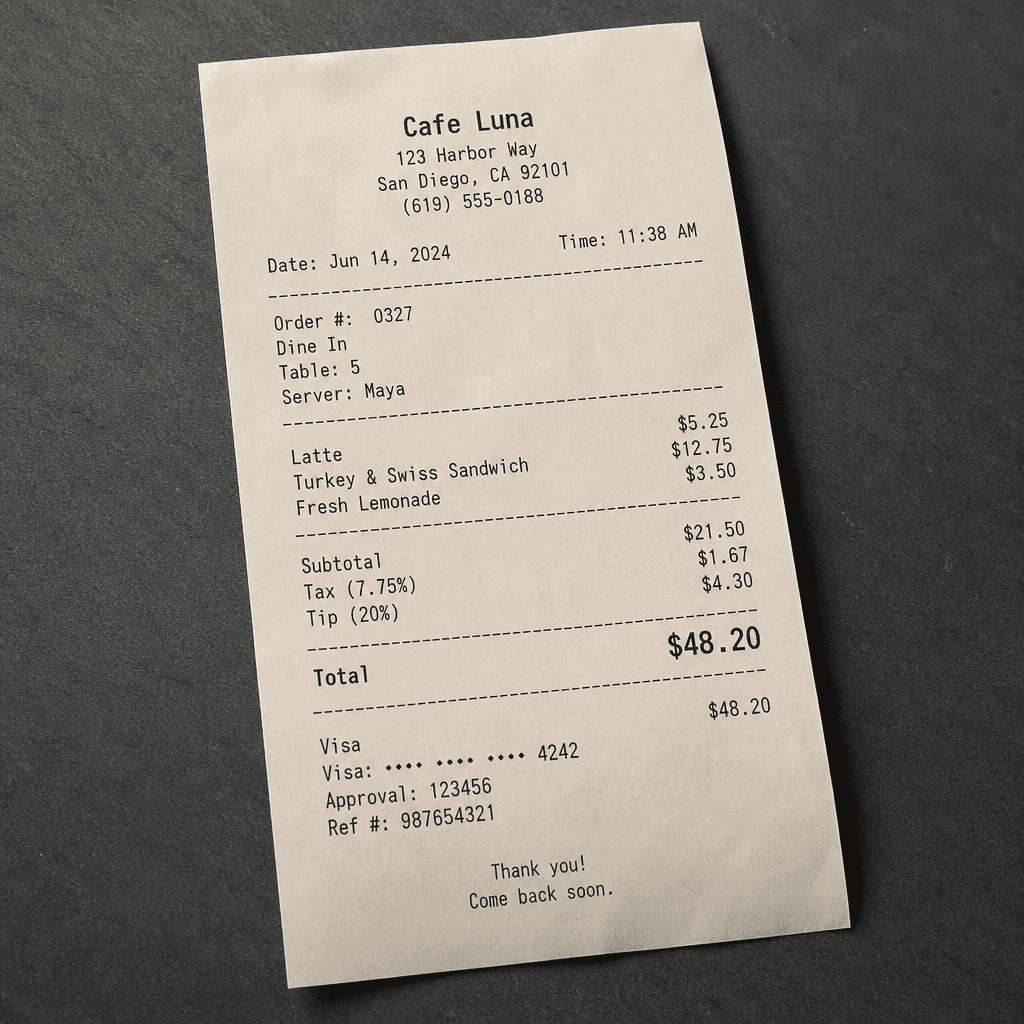
Messy receipts become merchants, amounts, tax, tip, and the details you actually need.
Review
Confirm side-by-side with the original receipt before anything counts as recorded.
Report
Dashboard totals, CSV export, category and tax views, budgets, and scheduled summaries.
Bring all your expenses into one place
Spentrix connects uploads, folders, email, SMS, and camera capture so every receipt lands in one clear expense book.
Drop a receipt. Keep moving.
JPG, PNG, WebP, or PDF—Quick Capture uploads securely and prepares a reviewable record in one flow.
Channel
Upload
Many ways in. One place to review. Then organize and report.
Inbox review
Nothing posts until you approve.
Captures wait in Inbox until you validate them—zoom the receipt, edit fields, classify as expense or payment, or discard.
- Side-by-side receipt and editable form
- Inbox queue for everything still waiting on you
- Quick Capture that lands in Inbox for confirmation
- Clear cues so you know what to double-check
Inbox review
Side-by-side receipt and editable form
Inbox queue for everything still waiting on you
Smart reading
Receipts become clean records.
Spentrix reads each receipt and fills merchant, amount, tax, tip, currency, and the detail fields you care about—ready for your review.
- Automatic reading of photos and PDFs
- Fields you can tailor to how you work
- City, memo, description, deductible, and more
- Itemized lines when a receipt has them
Smart reading
Automatic reading of photos and PDFs
Fields you can tailor to how you work
Organization
Your books, your rules.
Categories, payment accounts, projects, and clients keep every expense where it belongs—personal spending and business books in one place, cleanly separated.
- Expenses and payments in dedicated views
- Categories with tax-deductible defaults
- Payment accounts on every expense
- Rules that learn how you categorize
- Tags, billable, and reimbursable when you need them
Organization
Expenses and payments in dedicated views
Categories with tax-deductible defaults
Insights
See where money goes—then act.
Start with month-to-date totals and CSV for your accountant. Grow into category, tax, and monthly reports, budgets, and digests.
- Dashboard overview and pending review counts
- CSV export for taxes and bookkeeping
- Category, tax, and monthly report views
- Saved filters, PDF export, and email summaries
- Budgets and alerts that keep spend on track
Insights
Dashboard overview and pending review counts
CSV export for taxes and bookkeeping
Always-on capture
Designed for how expenses actually arrive.
Whether it’s a photo at lunch, a forwarded invoice, or an SMS alert—Spentrix meets the moment.
- Email forwarding with trusted sender allowlists
- SMS and bank alert capture
- Mobile camera capture
- Manual entry when there’s no receipt
- Ask Spentrix about your spend as you grow
Always-on capture
Email forwarding with trusted sender allowlists
SMS and bank alert capture
Trust
Private, secure, and in your control
Your expenses stay in your account. Sign in with email. Receipts and documents stay private under your user space.
Personal and company books stay separate
Protected sign-in for your workspace
Encrypted storage for receipts and documents
Start capturing expenses the way they arrive
Open Spentrix, upload a receipt, and build the habit of confirming once—then organize, report, and export when you need to.
FAQ
What is Spentrix?+
Spentrix is a smart expense tracker for personal spending, freelance work, and company expenses. Capture receipts from photos, email, and SMS, review them in Inbox, then organize and export when you need to.
How does capture work?+
Upload a file or folder, forward email to your Spentrix address, paste SMS alerts, or snap with camera capture. Everything lands in Inbox for you to review.
Do I review results before they’re saved?+
Yes. Items wait in Inbox until you confirm beside the original receipt—so capture stays fast without surprising your books.
Who is Spentrix for?+
Personal and freelance books, or company workspaces with invited members, roles, and approvals—same capture and review habits either way.
How do I get started?+
Open the app, create an account with email, and choose personal/freelance or company when you set up. Upload your first receipt from the Dashboard.
How is my data protected?+
Each account is isolated. You sign in with your own credentials, and receipts stay in private encrypted storage under your user space.